Privacy-first, by design
Your family's location belongs to your family. We don't sell it, share it with brokers, or hand it to advertisers. There are no third-party trackers in Orinn — full stop.
 Orinn
Orinn
Now on the App Store
Orinn is a calm, privacy-first family location app. See where your kids — and your aging parents — are when you need to, and put your phone down the rest of the time.
Already invited by a parent? Get Orinn Companion on the App Store →
Why Orinn
Your family's location belongs to your family. We don't sell it, share it with brokers, or hand it to advertisers. There are no third-party trackers in Orinn — full stop.
One parent, two parents, grandparents, a sitter — Orinn handles the messy reality of who needs to know what, without making your kid feel watched. Trust is the feature.
The best family safety app is one you barely open. Orinn pings you when something matters — arrival, departure, an SOS — and stays out of the way the rest of the time. No streaks. No nudges.
Features
See everyone in the family at a glance, updated in real time.
Get a quiet ping when they reach school, home, or anywhere that matters.
Drives and walks captured automatically — start, end, and the route between.
A single tap from your kid's phone alerts every parent in the family.
Family chat plus private one-on-one threads — "battery's low, love you" goes to one kid, not the whole group.
Aging parents join the same map — with a medical card, medication reminders, and gentle check-ins.
Alerts arrive with the member's photo — and routine updates collapse into one rolling card per kid, so ten pings become one.
A simple timeline of where the day went, kept private to your family.
See it in action
Eight screens that tell you what the app actually feels like.
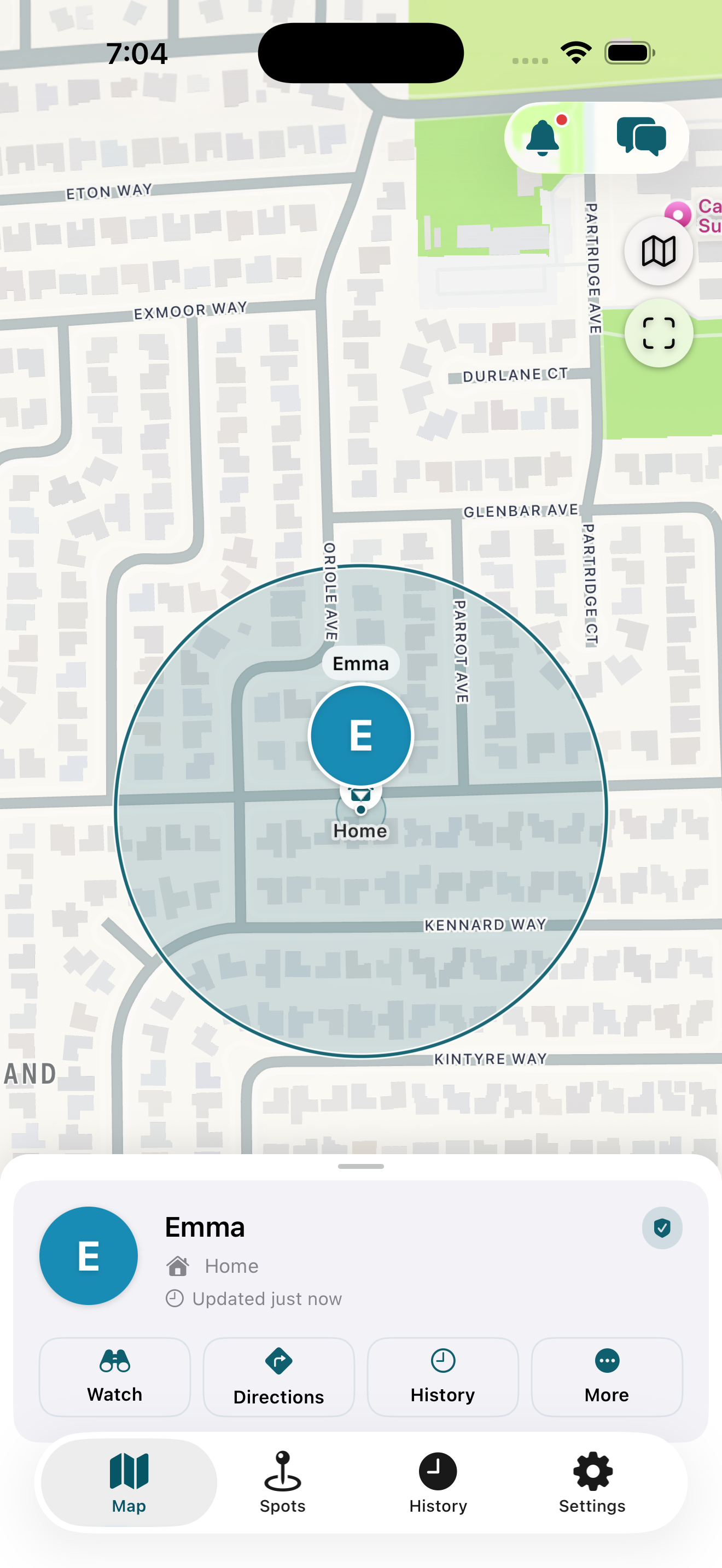
The first thing you see is the map — your kids, their last-known places, fresh to the second. No ads. No upsell banners. No "complete your profile" prompts. Just the dot you came here for.
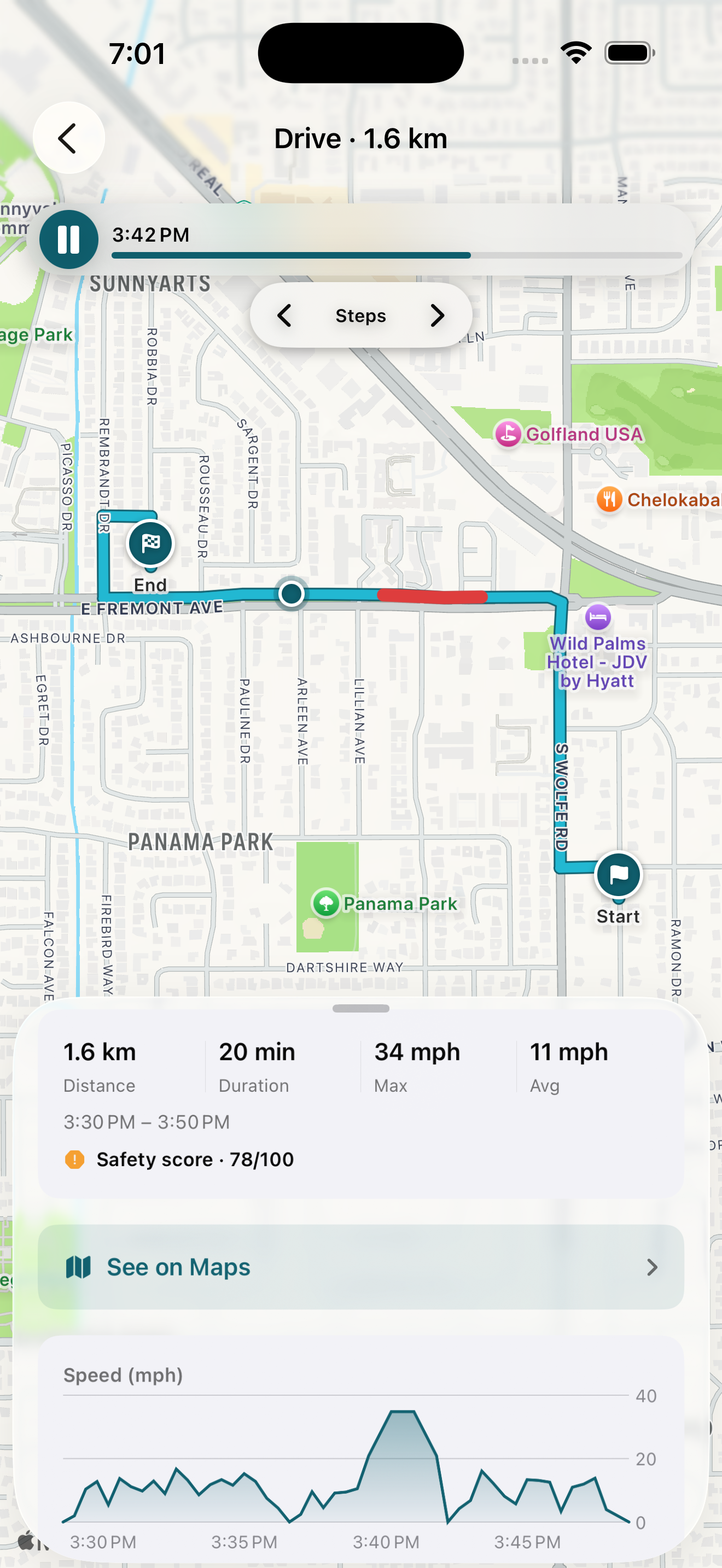
A 14-second speed spike, mid-drive. We noticed. The parent got a push. Tap the alert, see the exact stretch of road, the speed graph, the safety score. Calm location doesn't mean blind to risk.
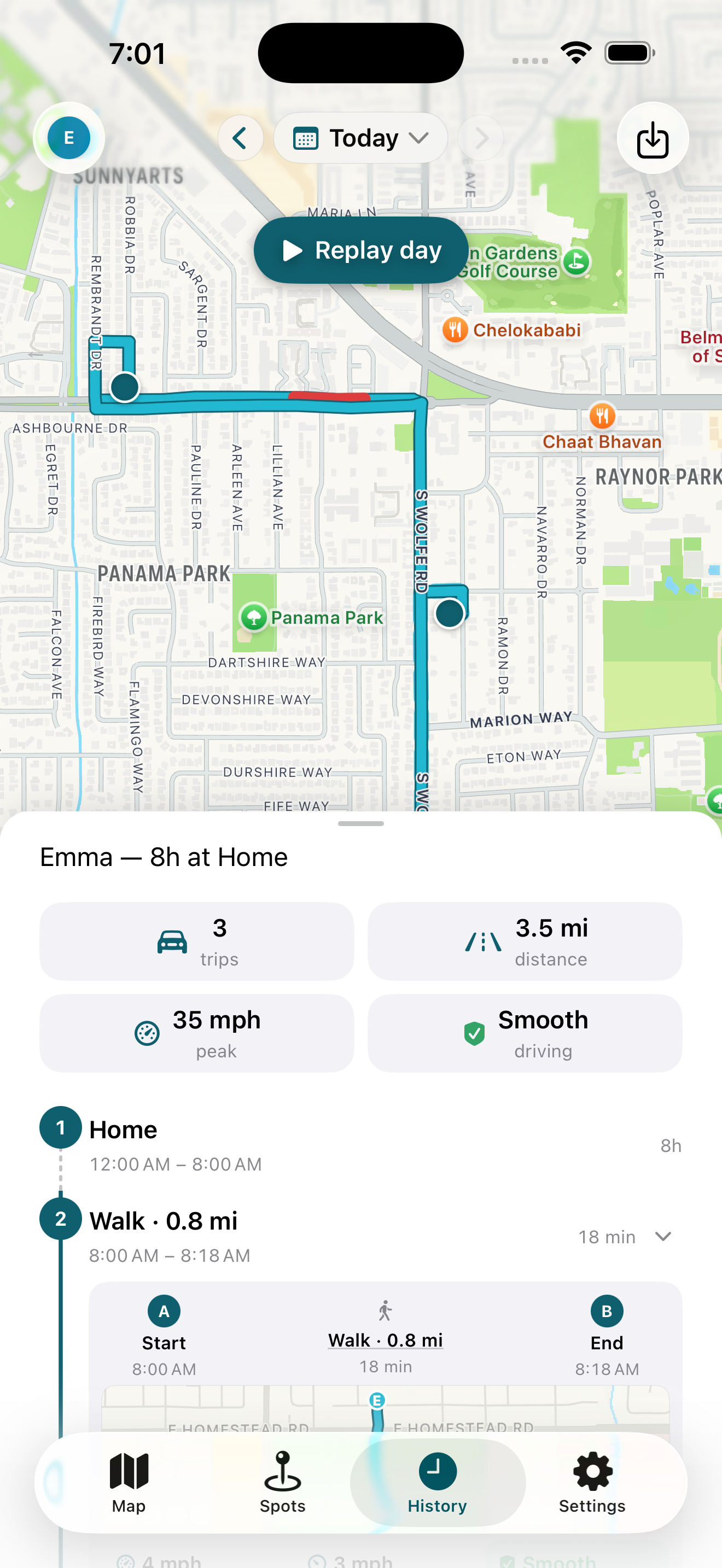
Not just dots on a map. A timeline of where they actually went — walked to school, stayed through the day, drove to soccer, came home. Tap any trip for the route, the speed, the safety read-out.
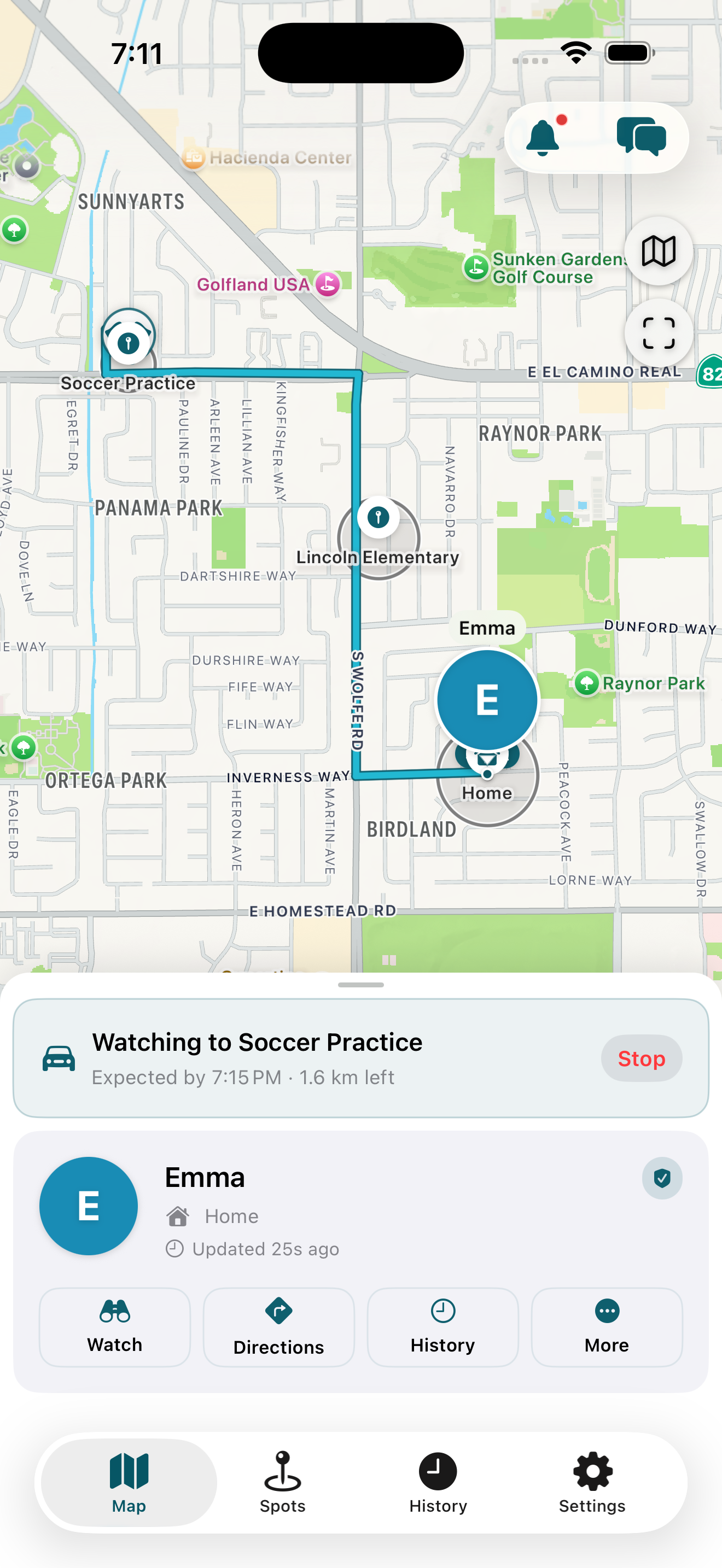
Orinn learns your kid's regular trips and lets you know if they're late or off-route — without you having to set a single alarm. The app is paying attention so you don't have to.
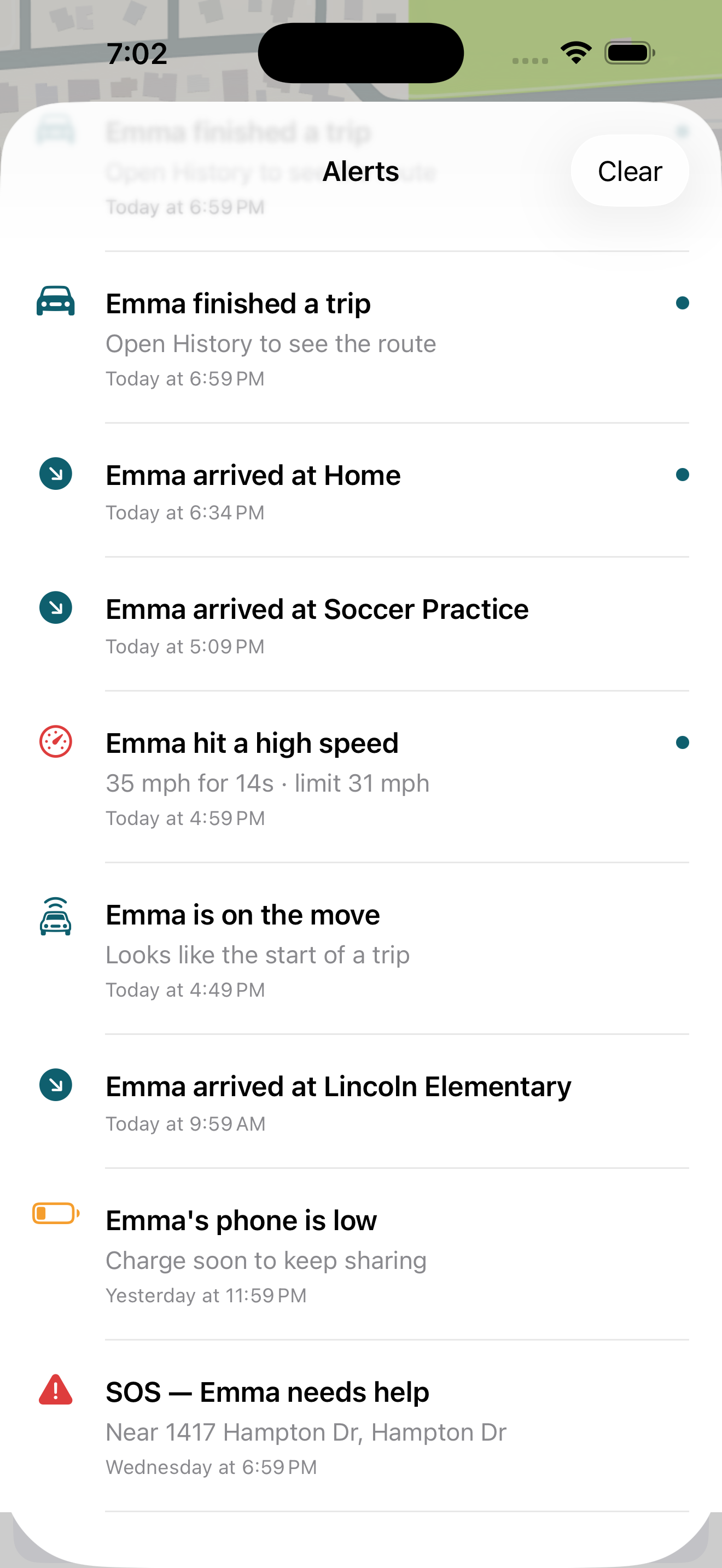
Arrivals. Departures. Trip start. A sustained high speed in the car. A phone running low on battery. A past SOS your kid sent. Everything that's actually worth a glance — and nothing that isn't.
New in 1.2: your Lock Screen gets the same restraint. A busy day used to mean ten separate pings from one kid — started a trip, ended a trip, reached school. Now the first update of the day rings, and everything after quietly updates a single card: "Emma: 7 updates today · latest: reached School."
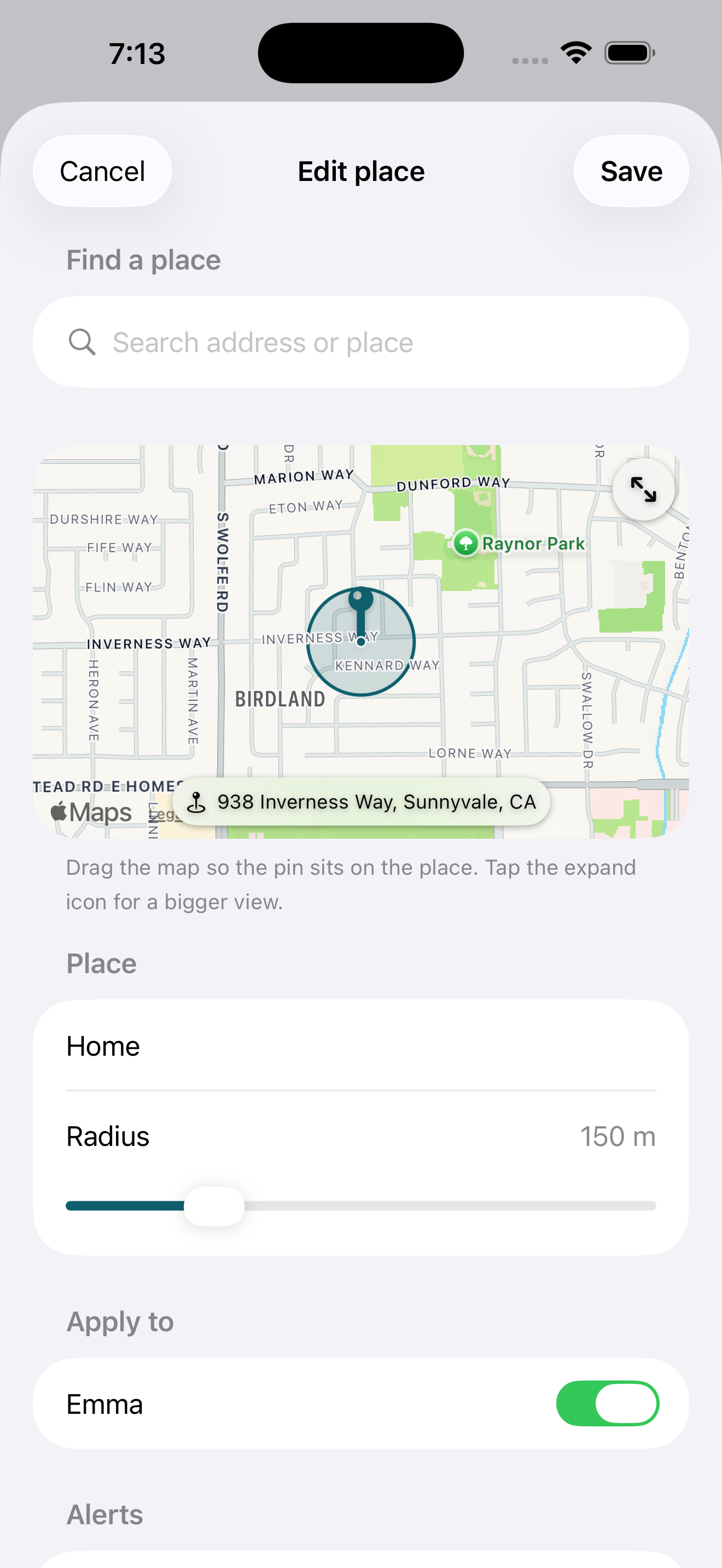
Pick the place. Name it. Choose which kid it applies to. Decide if you want a ping on arrival, departure, or both. That's the entire setup — no map drawing, no GPS coordinates, no fuss.
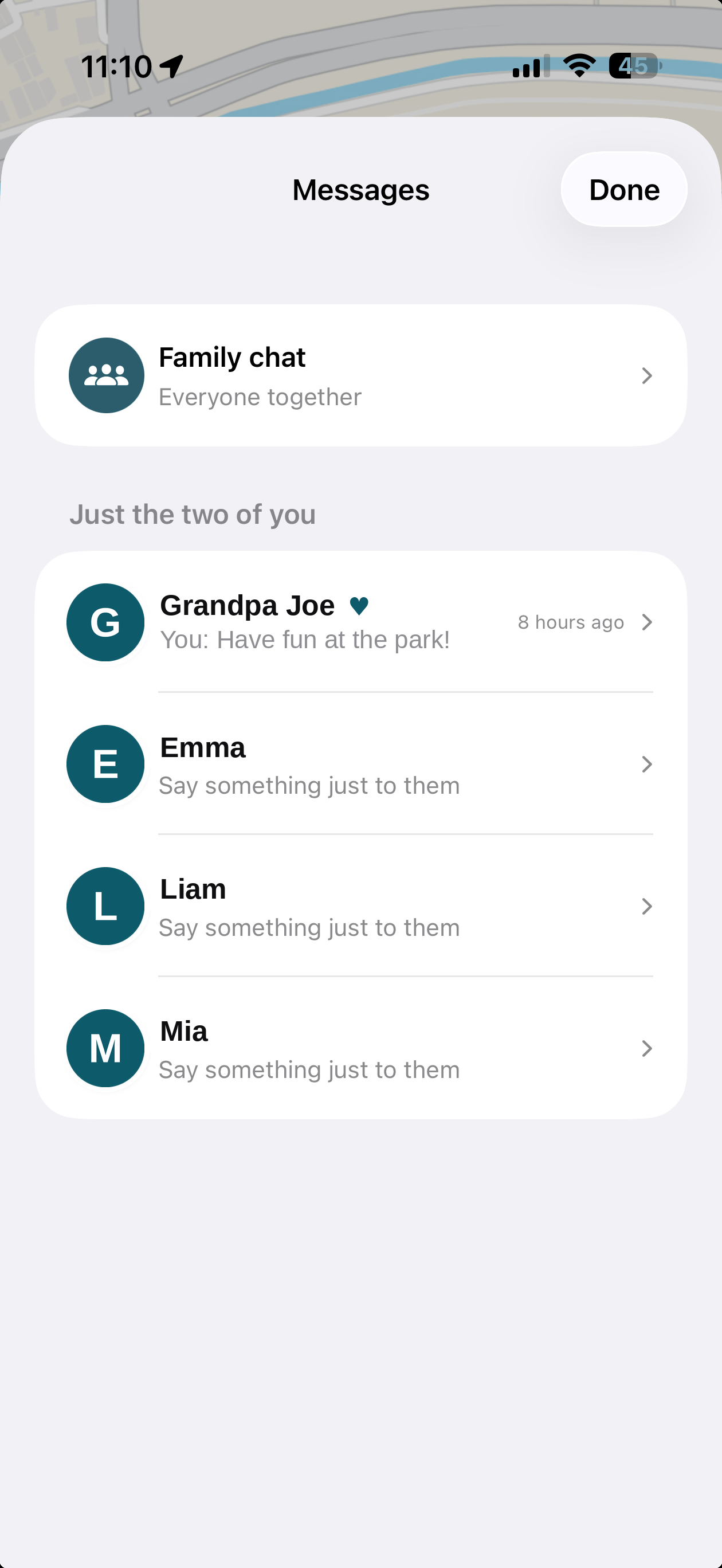
One Messages inbox for every conversation — the family chat on top, and a private thread with each member below it. "Charge your phone" goes just to the kid whose battery is dying, with photos, timestamps, and unread dots. And when they reply, the notification arrives like a real message — their face on the banner.
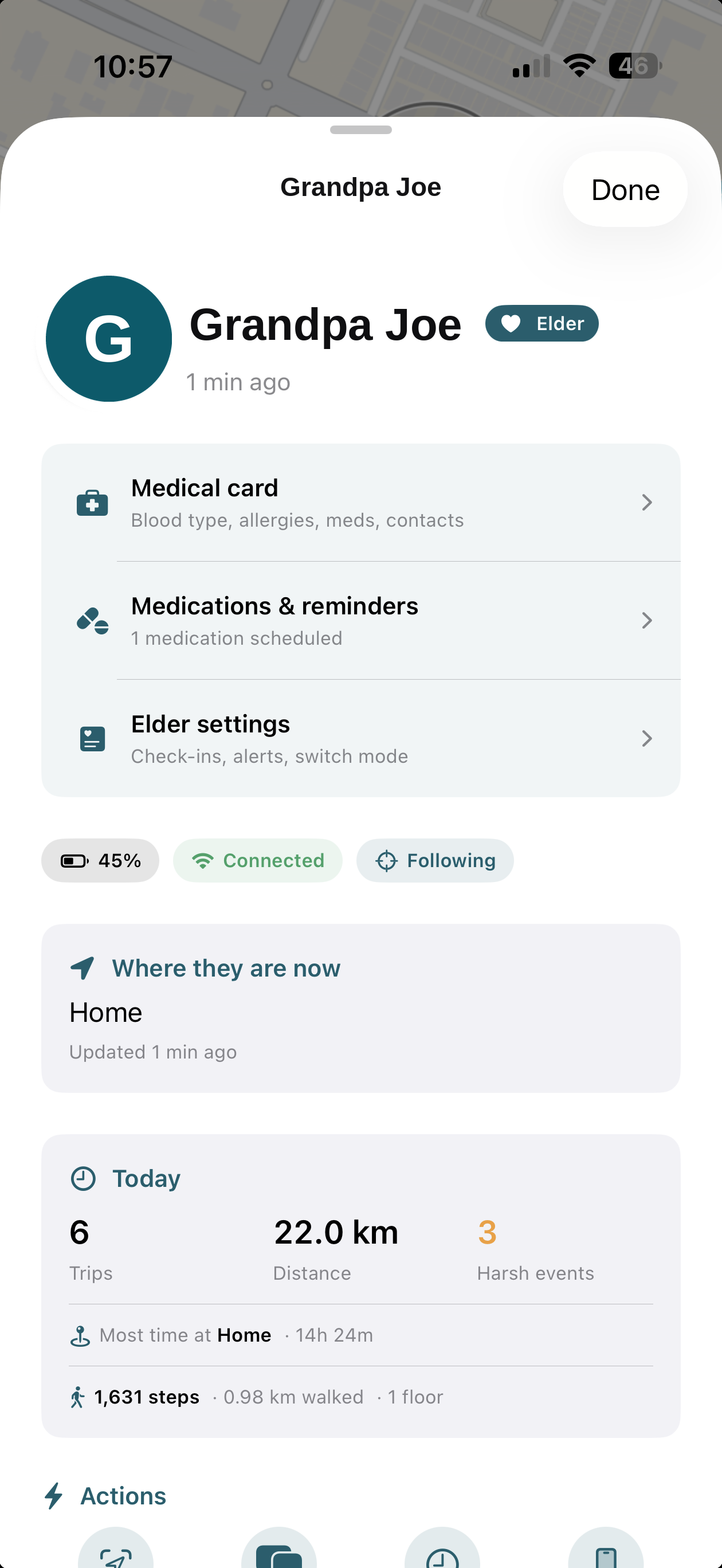
Aging parents join the family the same way kids do — same map, same history, same alerts. Their member sheet adds what caregiving actually needs: a medical card with blood type, allergies and conditions, medication reminders that ring on their phone, and gentle daily check-ins.
New in 1.2 · For grandparents
The sandwich generation shouldn't need two apps. The same Orinn that watches the school run now looks after Grandma and Grandpa — with care features that stay out of everyone's way.
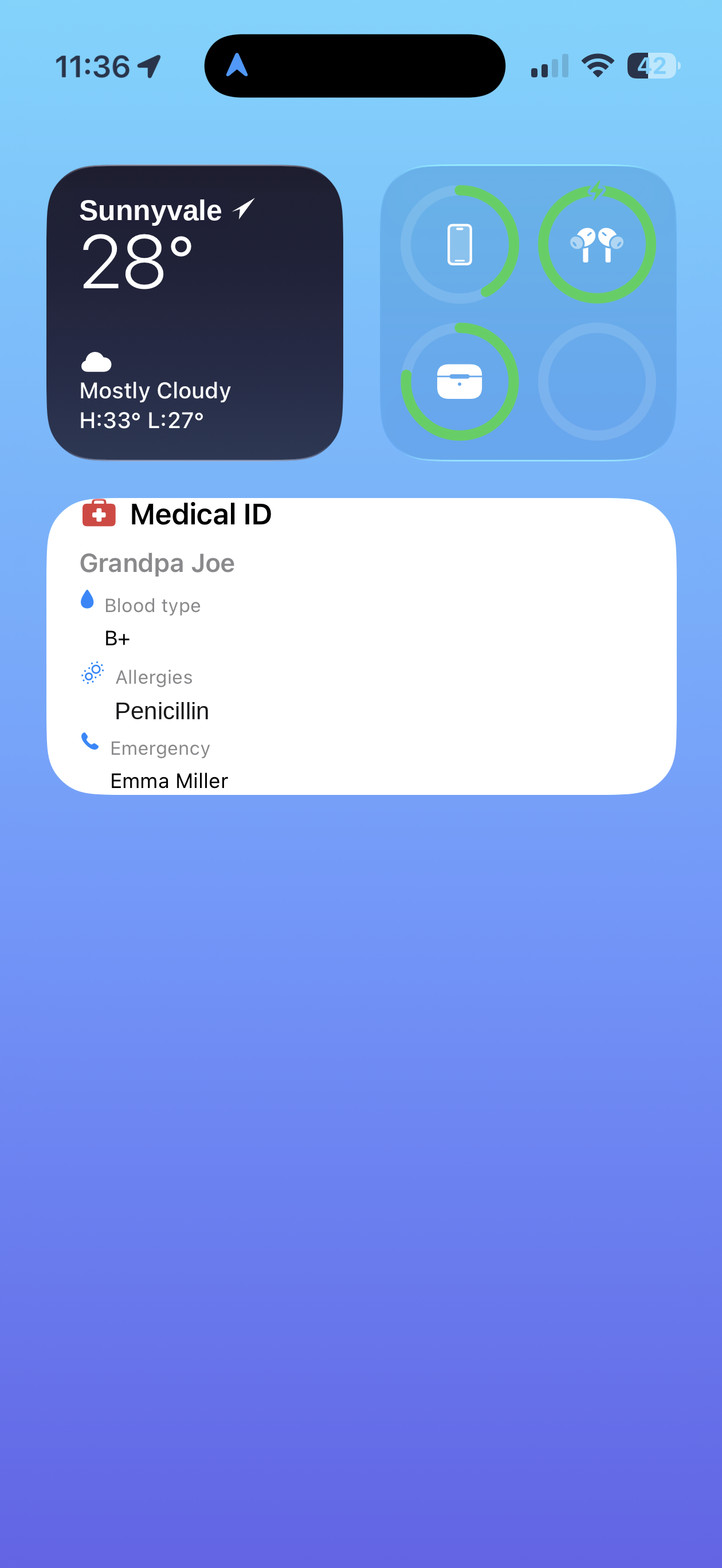
A Medical ID widget puts blood type, allergies, and the emergency contact where a first responder can see them — no unlocking, no app-hunting. The full medical card in the app carries conditions, medications with doses, and the doctor's number.
Medication reminders — a caregiver sets them remotely; they ring on the grandparent's phone.
Gentle check-ins — if their phone goes quiet past the window you choose, you hear about it. On a normal day, nobody does anything.
Same simple app — big buttons, one-tap "I'm here!", and an SOS that reaches the whole family.
Plans & pricing
Two plans. Family pricing — one purchase covers every parent and kid. The free plan is a real product, not a demo. The paid plan funds the privacy promise.
Start the trial in the app and get everything — unlimited places, a year of history, Watch Over, trip insights — for a full month. Cancel anytime in your Apple subscription settings; the Free plan keeps working forever.
Founding families: your free year and locked rate are unchanged — nothing to do.
$0/forever
Everything a family needs to stay connected on a map.
$4.99/month
or $39/year — one purchase covers your whole family
Everything in Free, plus the safety + insight features that take real work to run.
We don't price per kid or per parent — one Orinn+ purchase covers every parent and every paired kid in your family. Cancel any time; the Free plan keeps working.
The privacy section
Family location data has been a quiet revenue stream for the apps in this category — independently reported by The Markup in 2021 and acted on by the FTC in 2024. Orinn was built so that revenue stream is structurally absent: no buyer relationships, no broker pipe, no advertising business. We're not in that market.
Used for sign-in and to send you product-critical messages (e.g. a security alert). Not used for marketing.
Stored in your family's private data. We never use names for analytics or marketing.
Sent encrypted to Orinn and shared only with the family members you've invited. Recent points are kept so you can see day history; older points roll off automatically.
A small piece of context that turns "where are they?" into a useful answer instead of a worry.
Anonymous diagnostic data from Apple's standard crash reporter. You can turn this off in iOS Settings.
Common questions
The short answers — full breakdown on the FAQ page.
Yes. Your kid installs their own version of the Orinn app and can pause sharing for short windows. We think transparency is the foundation of trust.
No. We don't sell, share, or hand your data to brokers, advertisers, or anyone else. The paid plan funds the company so we never need that revenue.
About 2–4% of a typical day. We use Apple's low-power location APIs most of the time and only switch to high-accuracy GPS during active trips and brief locate-now requests.
Yes. Orinn pairs to a kid's iPhone running iOS 17 or later. Their phone is what reports location back to your family.
Yes — new in 1.2. Invite them from Settings like any family member and their Companion app switches to elder mode: medical card, medication reminders, gentle check-ins, and a Medical ID widget, on the same family map as your kids.
Now on the App Store · Free · No ads
Install Orinn on your phone, then invite your kids with a 6-digit code. Everything's set up in a couple of minutes — no card, no ads, no data sold.
Already invited by a parent? Get Orinn Companion on the App Store.
About the team
Orinn is built by the team behind Familynest — our cross-platform family location app, live since 2015, 10M+ downloads, and still answering "do you sell our data?" the same way we always have: no, never. Orinn is our newest experiment, iOS-first and US-focused, taking the FamilyNest principles into a fresh codebase built on the latest mobile + AI stack.